Best Free Photoshop Alternative for Web Browsers (2026 Guide)
1. The End of the Mega-Suite Era
For more than two decades, professional digital image editing has been synonymous with a single, monolithic, multi-gigabyte desktop software package. If you needed to extract a complex background, adjust curves, or build a multi-layered composite for a web mockup, the answer was always the same: boot up Photoshop.
However, the modern creative landscape has fundamentally fractured that assumption. Freelance designers, remote marketers, and indie game developers rarely operate on a single workstation anymore. They switch between office iMacs, personal Windows laptops, and lightweight Chromebooks on the go. Installing a massive local suite—complete with predatory subscription models, bloatware launchers, and steep hardware requirements—just to tweak an alpha channel or resize a PSD is no longer an acceptable workflow toll.
The industry needed a true Photoshop alternative. But not just another simplified mobile app masquerading as a pro tool on desktop. We needed high-fidelity pixel manipulation, native PSD file parsing, and zero latency, all accessible instantly via a URL.
2. WebGPU: Erasing the Concept of "Web Performance"
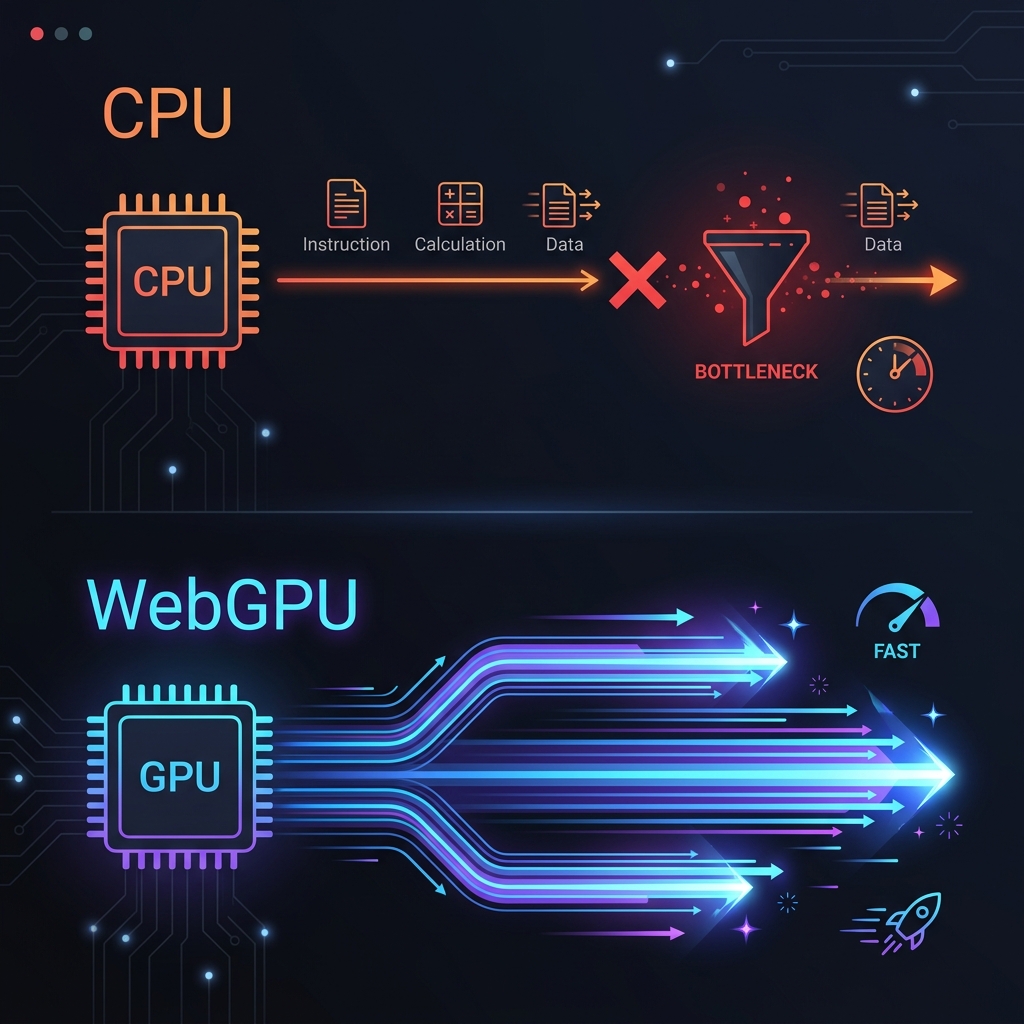
Historically, the fatal flaw of browser-based image editors has been terrible performance. Older alternatives relied on HTML5 Canvas or raw JavaScript executed entirely by the CPU. If you uploaded a 4K image and applied a heavy Gaussian Blur or scrubbed through a dozen layer blending modes, your browser would inevitably stutter, freeze, or crash entirely.
We built PhotoQuill to permanently demolish that performance barrier by engineering its core engine directly atop WebGPU.
Instead of forcing the browser's single-threaded JavaScript to compute millions of pixels mathematically, PhotoQuill talks directly to your machine's physical graphics card. By vectorizing pixel shader logic, operations are dispatched in massive parallel across your GPU cores. Whether integrating an Apple M3 chip or an Nvidia RTX monster, the result is the same: instantaneous rendering.
3. Core Features That Separate Pro Tools from Toys
When searching for a free photo editor, you will find hundreds of websites that let you apply Instagram-style color filters or add generic text blocks to a JPG. But to replace a studio-grade tool, the strict technical requirements are vastly higher.
- Native Depth-Level PSD Parsing: A professional editor is useless if it cannot open your archival files. PhotoQuill decodes Adobe Photoshop (`.psd`) files bit-by-bit locally. We mount your layer groups, preserve your text layers (rendering them non-destructively), and perfectly translate opacity values.
- Advanced Blending Mathematics: Real composite work relies on math. PhotoQuill accurately replicates industry-standard blend modes: Multiply, Screen, Overlay, Color Dodge, Linear Burn, and more. Because of WebGPU, you can actively scroll through these modes with the arrow keys and instantly see the 60FPS visual feedback on the canvas.
- Real-Time 3D Texture Workflows: This significantly outpaces traditional 2D editors. Built specifically for complex graphics workloads, PhotoQuill features deep multi-layer blending support, making it the premier tool for indie game developers configuring alpha and albedo materials directly online.
4. The Overlooked Crisis of Cloud Privacy
Take a hard look at the Terms of Service for the most popular "free online editors" and "AI enhancement" websites. You will discover a chilling reality: when you upload an image to their servers, you are frequently granting them a perpetual license to use, analyze, or train machine-learning models on your proprietary data.
This is a catastrophic security risk if you are an agency handling embargoed product photography, a medical professional with sensitive assets, or simply a creator who values IP ownership. PhotoQuill executes 100% of its application logic client-side.
When you drag an image onto our canvas, you are not uploading it to the Internet. You are simply passing the file from your local hard drive into your local browser's memory allocation. We have no servers intercepting your files. We have no database collecting your art. It is conceptually and functionally as secure as an offline, air-gapped desktop installation.
5. Integrating PhotoQuill into Your Pipeline
Transitioning away from a legacy subscription suite does not mean abandoning ship overnight. You can start by using PhotoQuill for auxiliary operations. Need to quickly convert a client's specific PSD logo into a transparent PNG? Open the URL, drop the file, export the PNG, and close the tab in under ten seconds. As you build muscle memory with the tool's interface, you will naturally find yourself building full graphics from scratch without ever reaching for the heavy desktop launch icon.
6. The Verdict: Start Editing Now
The era of paying monthly rent to access your own visual workflows is over. Ready to experience the fastest, most capable free Photoshop alternative available on the web? Since there are zero installations, no predatory sign-up forms, and zero hidden costs, your transition begins the moment you click launch.